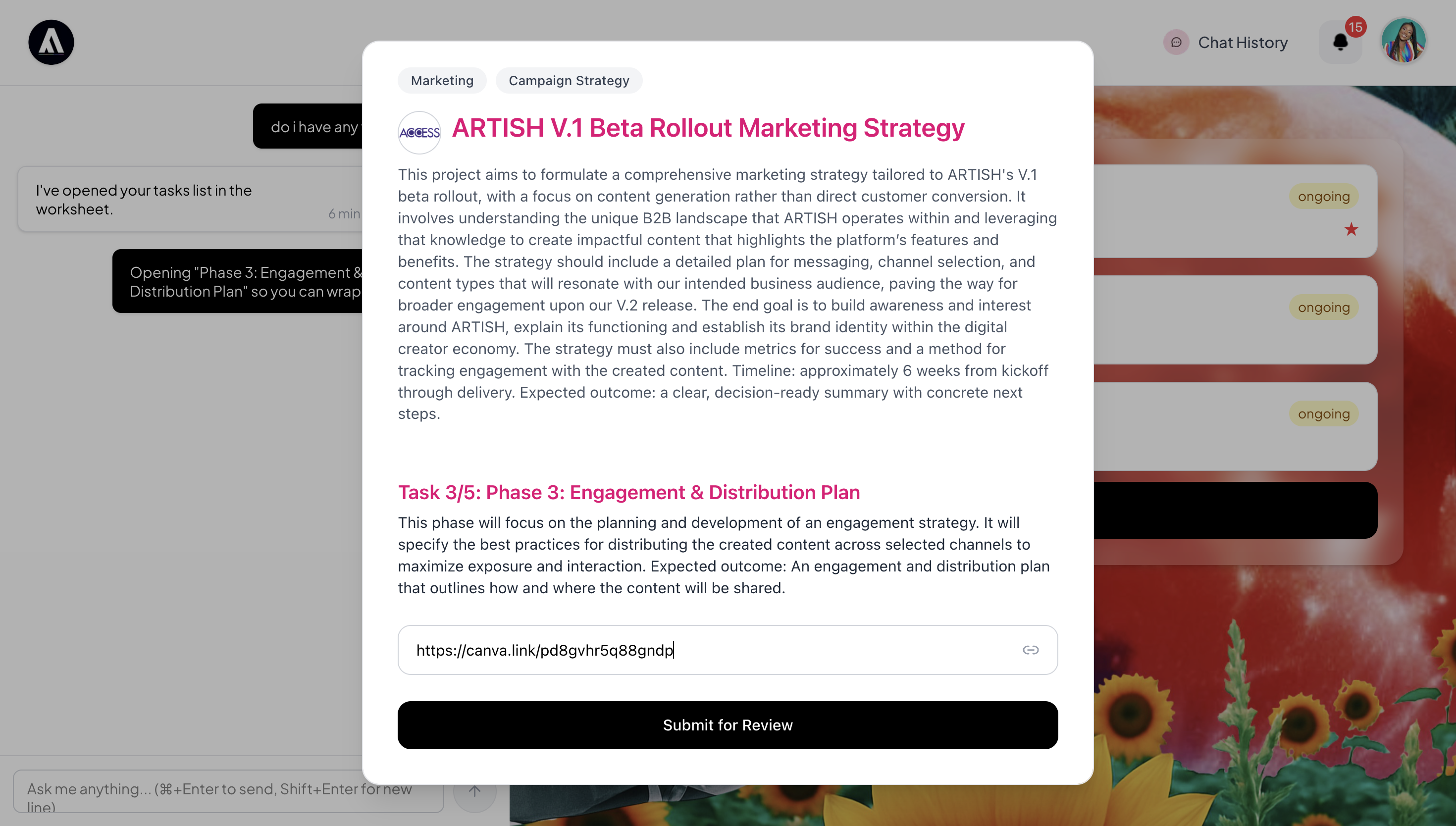
Most creative teams already have the tools to produce work. The problem is not the work itself. It is the gap between doing the work and getting it reviewed, approved, and moved forward. That gap is where projects lose momentum: a file shared via Slack, a comment buried in email, a status update that never made it back to the task list. ARTISH closes that gap by making approvals, feedback, and version control happen at the layer of project momentum itself.
Submitting Work
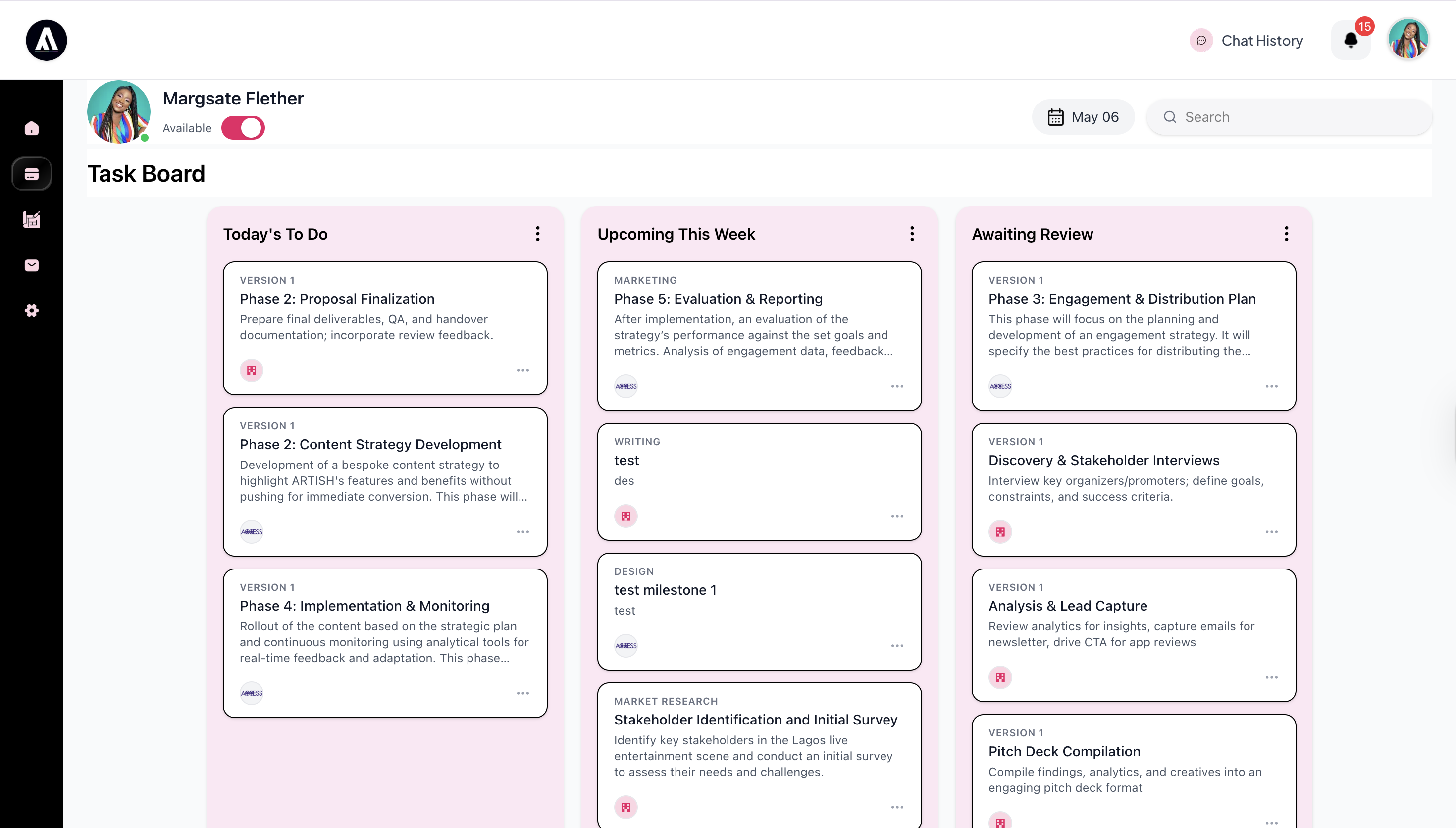
Team members assigned to a milestone can submit their work product directly within ARTISH, either through the Worksheet or the Task Board. Submission takes the form of a link, which keeps ARTISH tool-agnostic by design. The work product can live in Figma, Notion, Google Docs, Canva, or anywhere else the team already works. ARTISH does not require deep integration with any of those tools. It sits above them, at the point where delivery, review, and approval actually happen.
The Review Flow
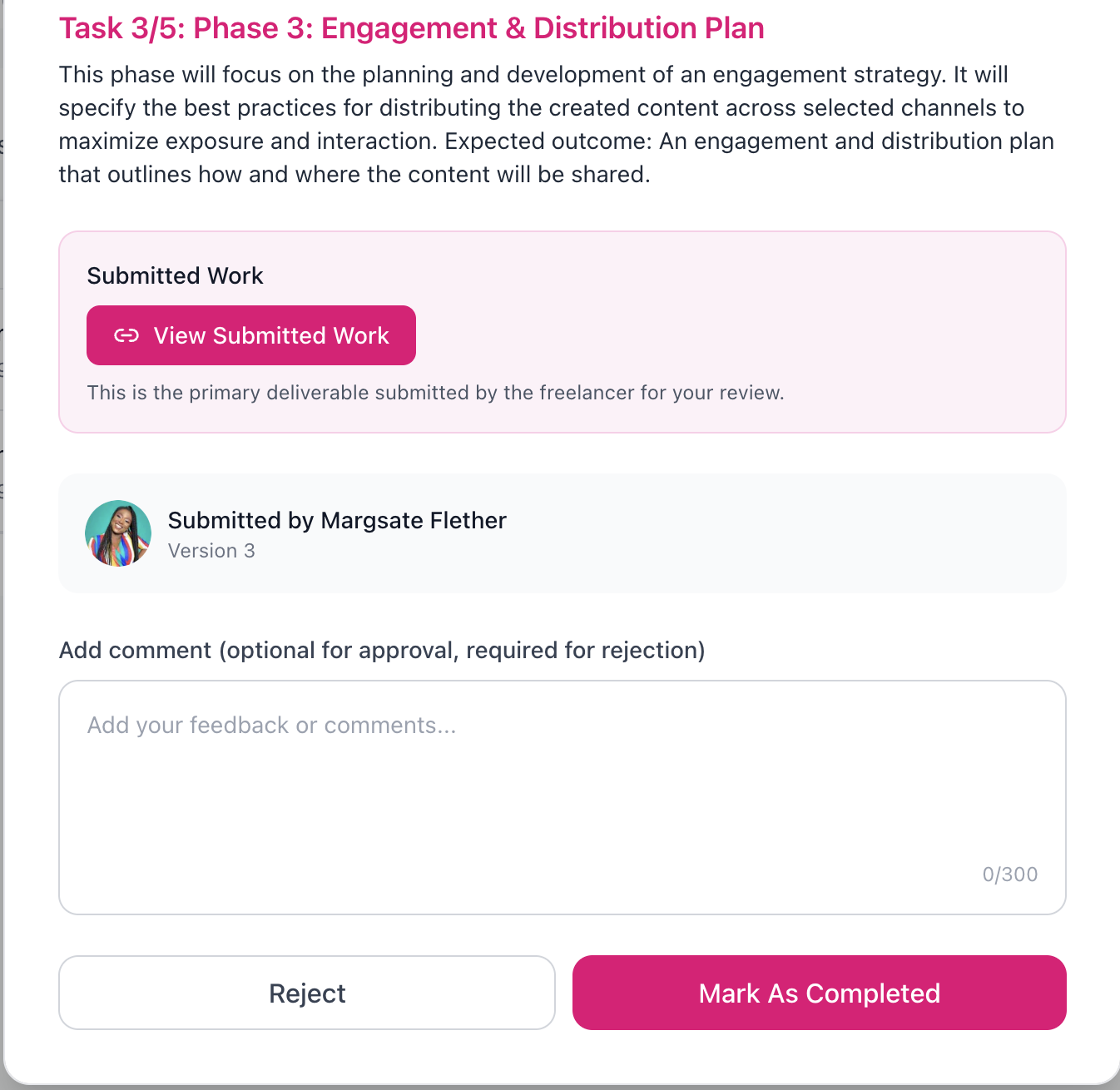
When a collaborator submits work, the review lands with the project manager responsible for that project. Using the Worksheet or the dedicated tasks view, they can open the submitted work product, review it, and take one of two actions: mark it as completed to move the project forward, or reject it to initiate a new version. Rejection requires a comment, so the collaborator always knows why the work was sent back and what needs to change.
This is the full approval loop, contained in one place. No separate email to communicate the rejection. No status update to remember to make in a project management tool. The action and the record are the same thing.
Version History and the Task and Event Log
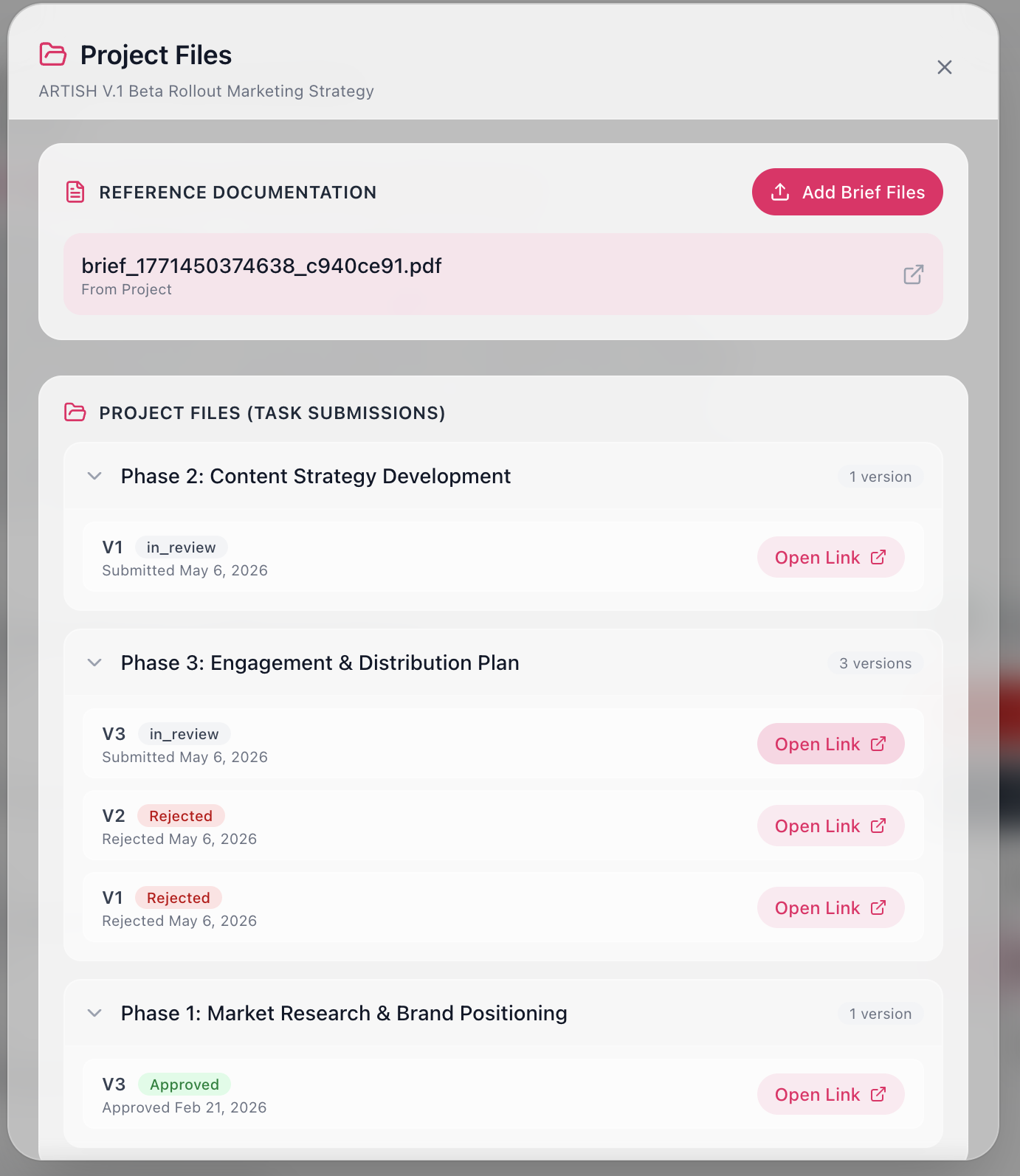
Every submission, review, and status change is captured in the Task and Event Log, which maintains a timestamped version history for each milestone. Each iteration is recorded as a new version entry, V.1, V.2, V.3, with a status of Created, Accepted, or Rejected and the exact time the action was taken.
The actual work product links for every version are accessible through the Project Files modal. This is where the full submission history lives, organized by milestone and version, with each entry showing its approval status and submission date. If the collaborator is working on a live document that updates in place, the link remains the same across versions and the log still captures every review cycle against it.
Feedback Visibility
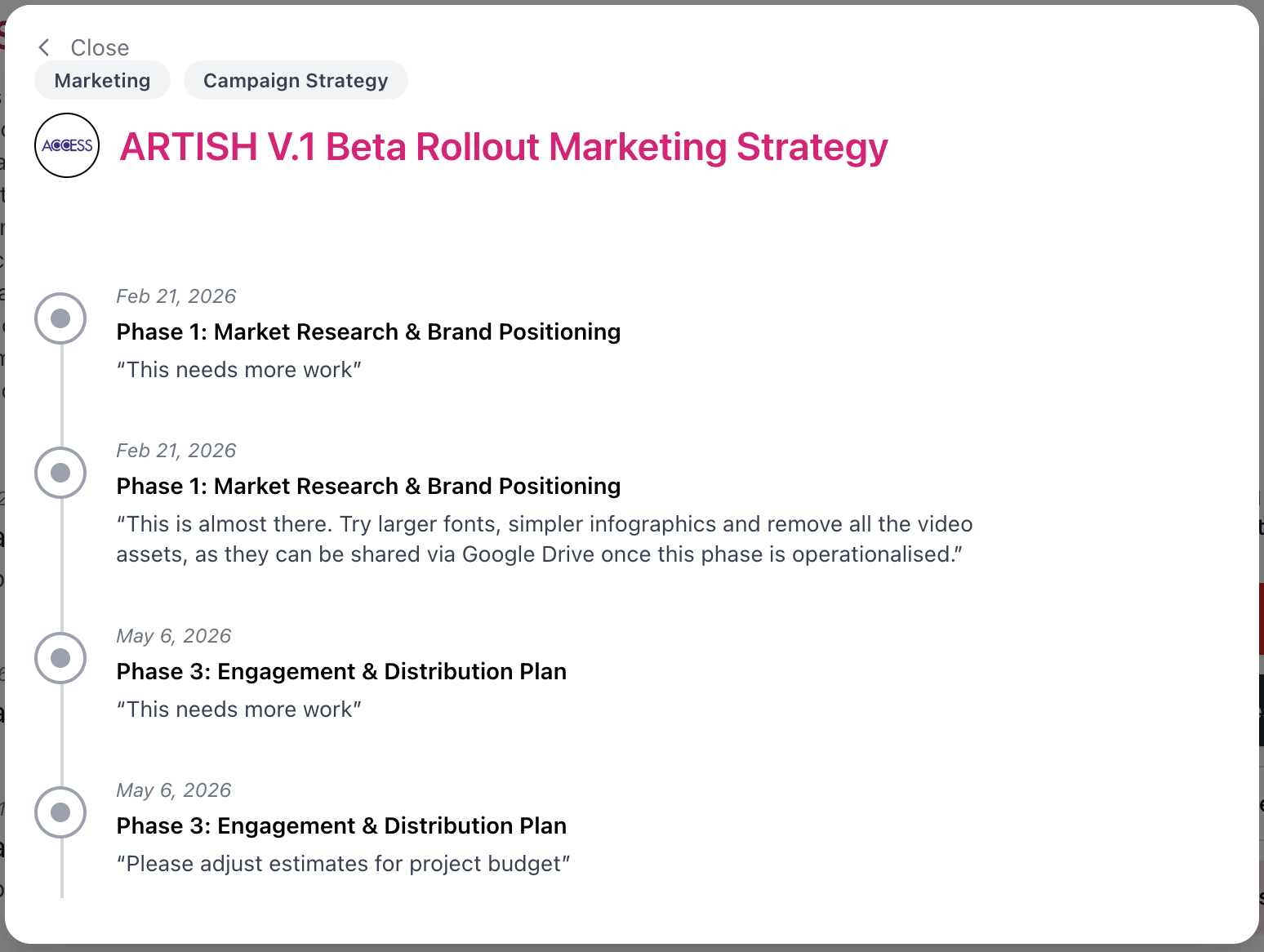
Review comments are not private. Feedback is accessible through the project tracking page and visible to everyone associated with the project or project group. This matters because creative work is rarely reviewed in isolation. A brand manager, a creative director, and an external contractor may all need to understand why something was rejected and what was approved. When that context is attached to the work itself rather than scattered across communication tools, the whole team stays aligned without anyone having to be briefed separately.
The result is a workflow where submitting work, reviewing it, approving it, and tracking its history all happen in one continuous flow. Not a checklist item in one tool, a file drop in another, and a status update in a third. One place, one record, one source of truth.