Creating Projects on ARTISH
ARTISH gives you two ways to bring projects to life: through the Worksheet, or directly within the platform using the prompt-led interface. Both paths lead to the same structured project tracker, but they serve different starting points depending on how much you already know about the work ahead.
The Worksheet is designed for projects where the brief, scope, and deliverables are already defined. You fill in the details — timeline, budget, references — and share it with your team or contractor before kicking things off. It is a structured intake form that ensures nothing gets lost between the conversation and the actual project setup.
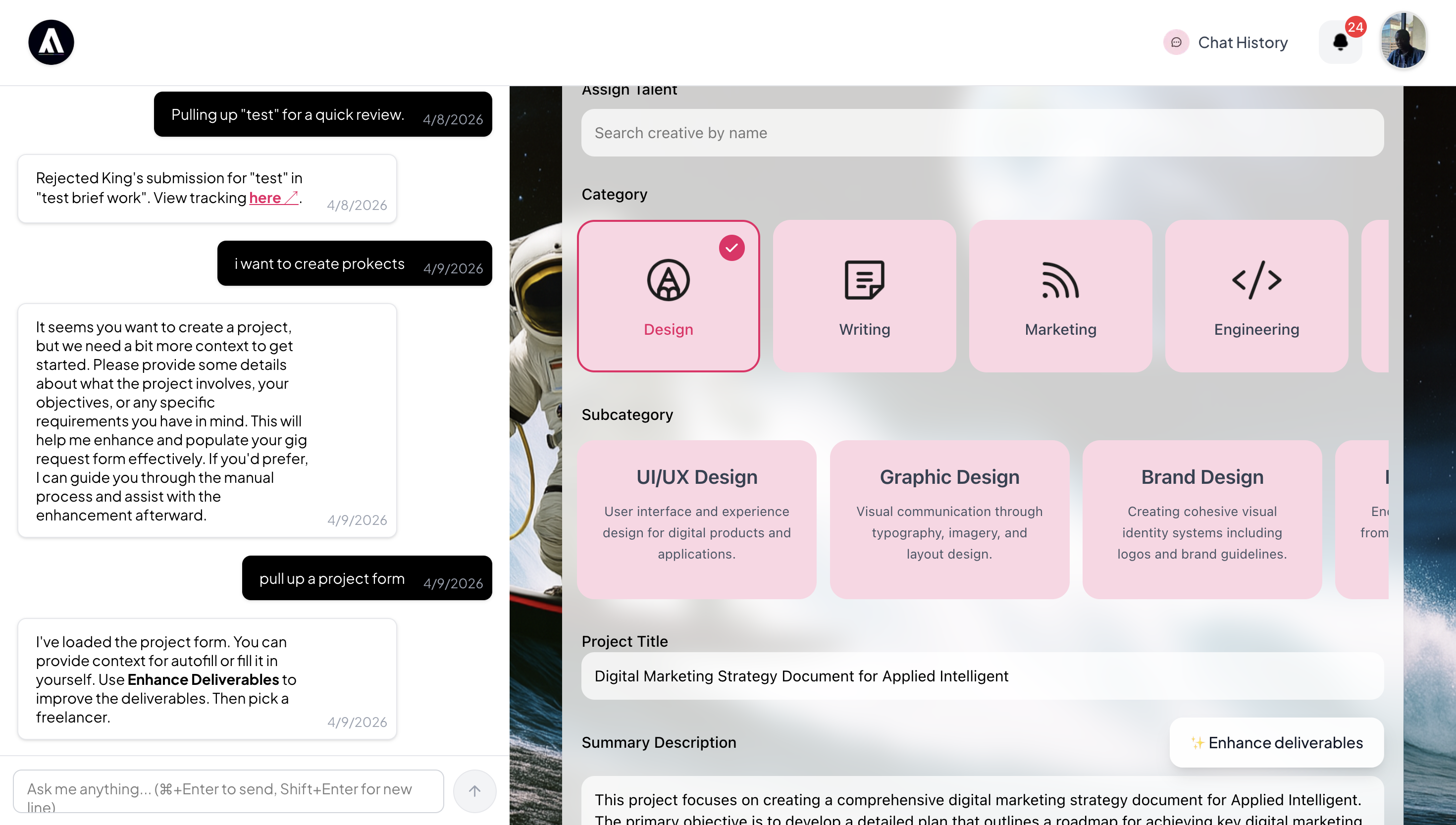
For projects that start with less structure, the prompt-led interface lets you describe what you need in plain language. ARTISH takes that input and organizes it into a project with assigned team members, deliverables, and deadlines, all in one flow. You skip the form and go straight from intent to action.
Milestones: Structuring Project Phases
Most creative projects do not move in a straight line, but they do move in phases. Milestones let you define those phases explicitly, so progress is visible and payments or approvals can be tied to completed stages rather than arbitrary dates.
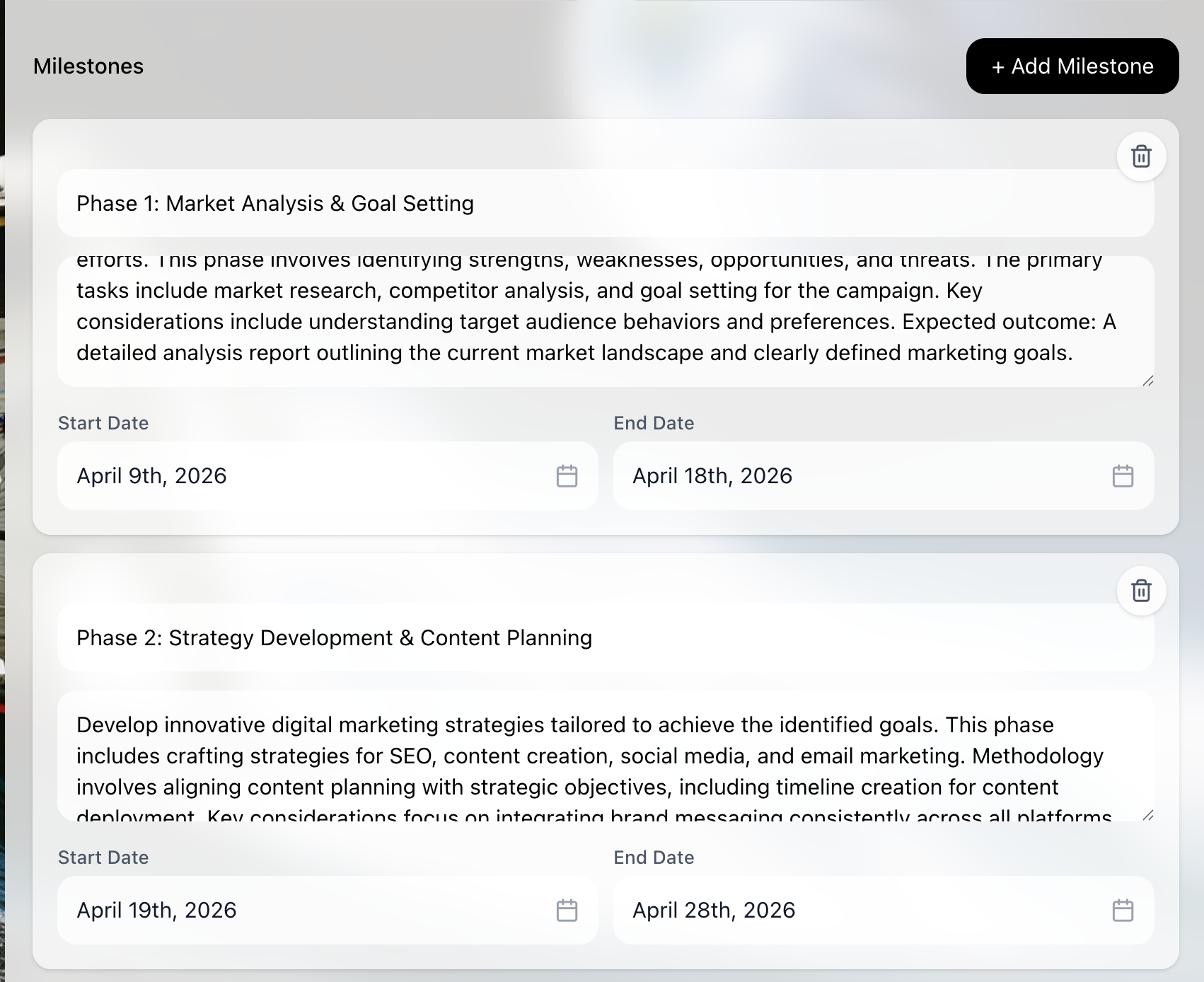
Each milestone can represent a key phase like Discovery, Design, Development, or Delivery. You set a deadline and attach deliverables to each one. As the project moves forward, the tracker updates in real time, making it easy to see where things stand without chasing updates. Milestones also serve as triggers for invoice generation, so billing stays in sync with actual progress.
The Project Tracker
Once your project is set up, the project tracker becomes your single source of truth. It shows task progress, milestone status, and team activity in one consolidated view, so you are never switching between tools to understand what is happening.
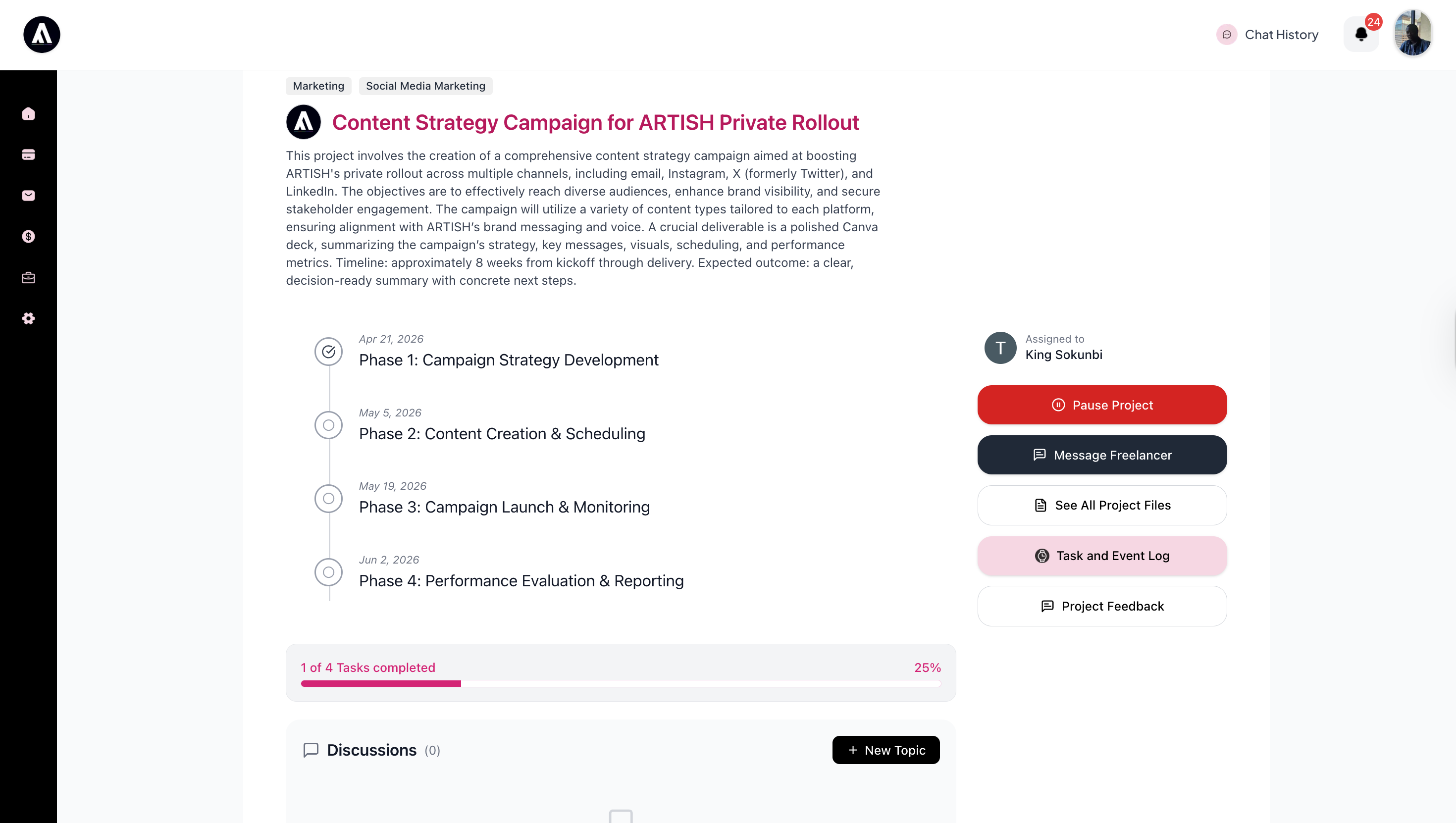
You can see all active projects at a glance, filter by status or team member, and communicate directly within each project's context. The tracker is where planning, execution, and invoicing come together.
Task and Event Log
Every milestone on ARTISH maintains a Task and Event Log: a timestamped version history of every deliverable submission and its review outcome. Each time a deliverable is submitted, it is recorded as a new version entry, V.1, V.2, V.3, and so on, with a status of Created, Accepted, or Rejected and the exact time the action was taken.
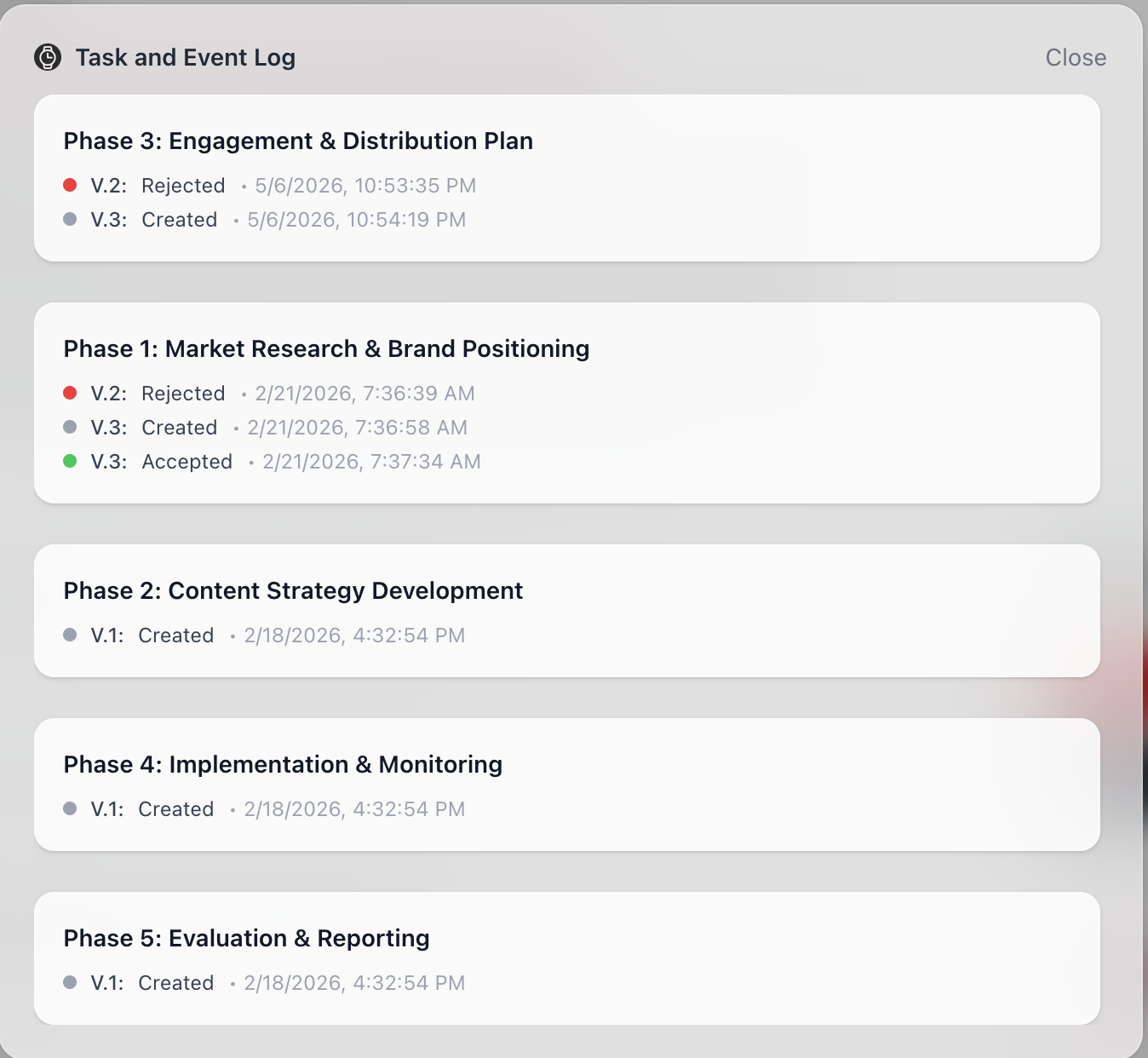
This matters more than it might seem at first. Creative work rarely gets approved on the first pass. The log gives project owners and collaborators a clear, shared record of what was submitted, when, and what happened to it. There is no ambiguity about whether something was reviewed, no need to dig through email threads to find out why a revision was requested, and no dispute about the sequence of events. For agencies managing client deliverables, it functions as a lightweight audit trail. For contractors, it is proof of work.
Discussions
Each project includes a Discussions section where any project member can open a new topic at any time. Topics are threaded, meaning replies nest directly under the original post, and members can @mention each other to pull the right person into a conversation.
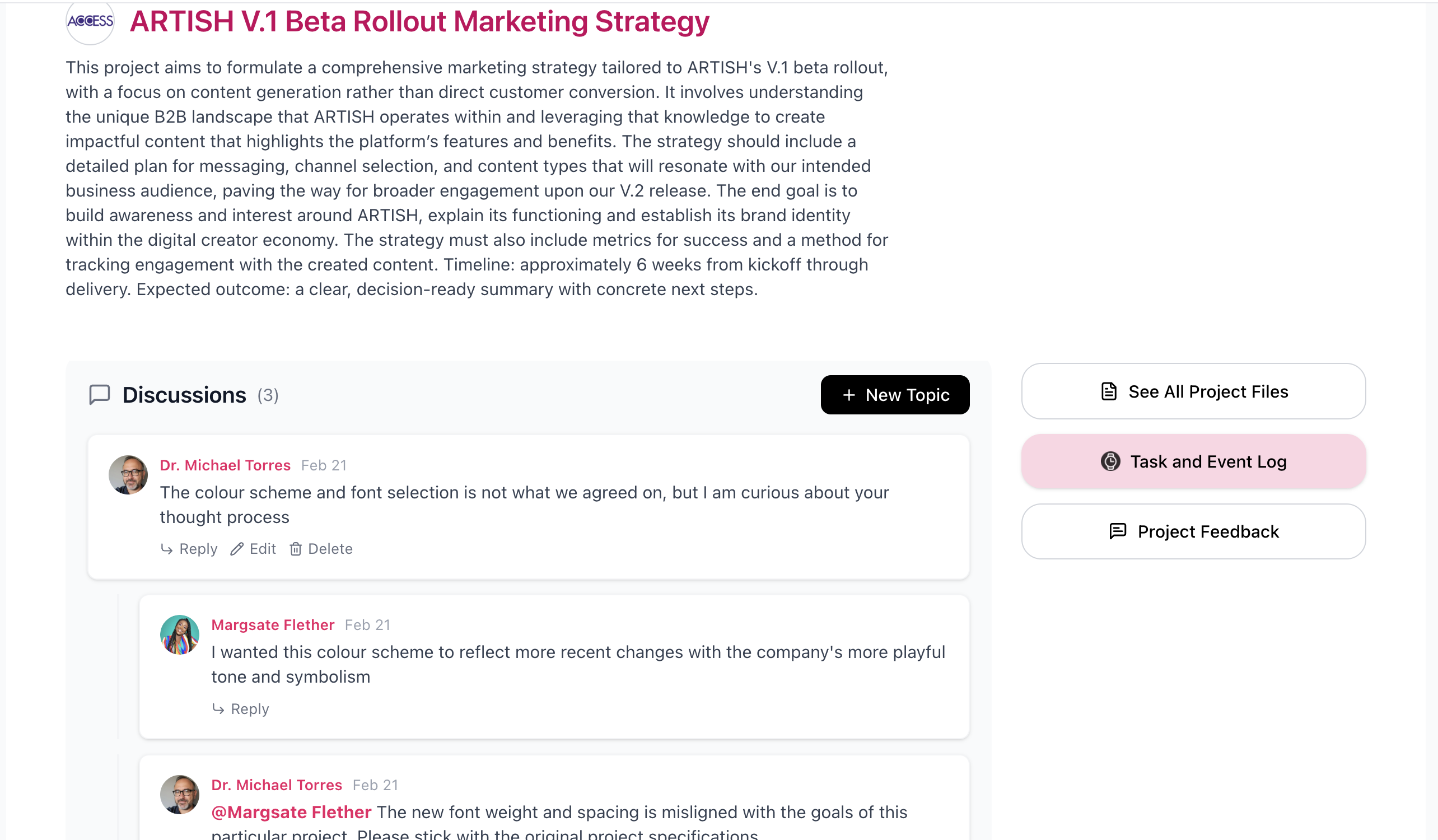
Discussions are not a replacement for the project brief or the milestone structure. They are the space where everything in between gets worked out: flagging a concern about a deliverable before it becomes a rejection, brainstorming an approach before committing to a direction, or resolving the kind of finer detail that does not belong in a task but still needs a documented answer. Because Discussions live inside the project, the context is always there. No one has to reconstruct a decision from a Slack thread six weeks later.