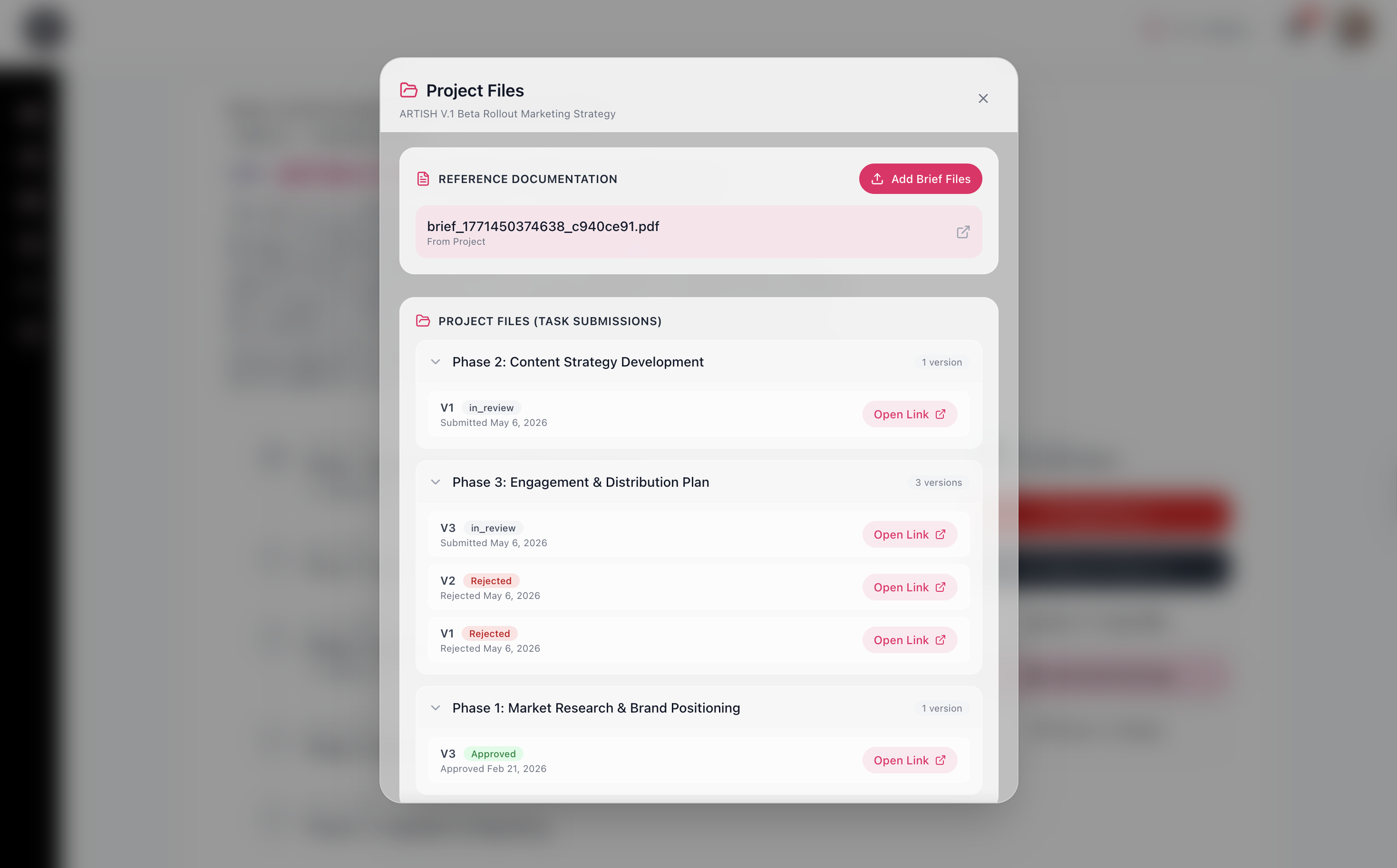
Creative projects generate a lot of reference material before a single deliverable is produced. Briefs, mood boards, brand guidelines, technical specifications, contract terms. On most teams, this material lives across email attachments, shared drives, and message threads, which means the people doing the work are constantly hunting for context that should have been in one place from the start. ARTISH solves this at the project level, not after the fact.
Attaching Files at Project Creation
Project files can be attached at the point of project creation, whether you are setting up an internal team project or a contractor engagement. Both the Worksheet and the in-app prompt-led form support file uploads during setup, so reference documentation travels with the project from day one.
For contractor projects, these files are surfaced directly in the modal where the collaborator reviews and accepts the gig. Before a single message is exchanged, the contractor already has the brief. There is no separate onboarding email, no link to a shared folder, no follow-up to check if they received the files.
Adding Files to Active Projects
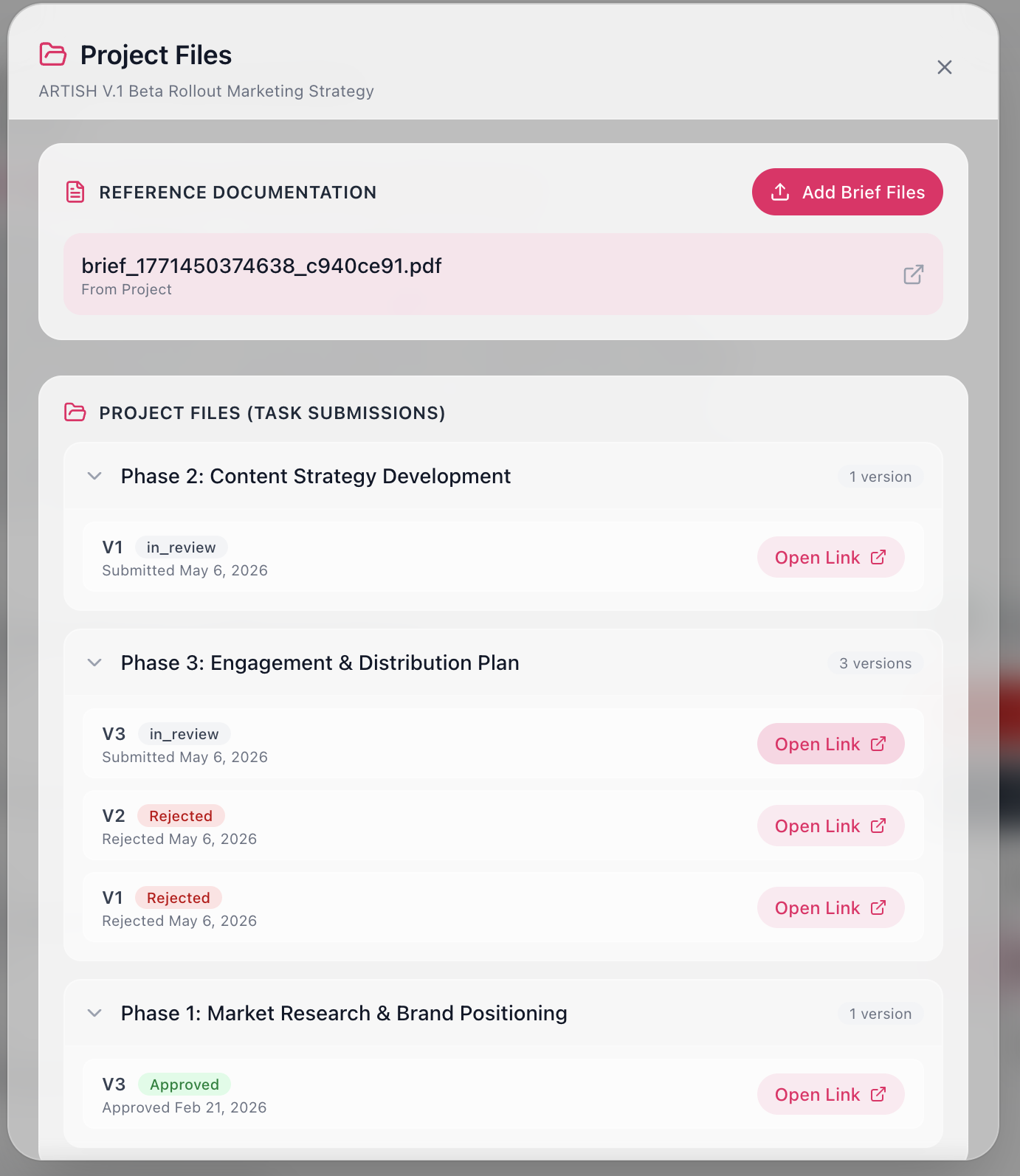
Once a project is live, commissioners can continue uploading reference material through the Project Files modal on the project tracking page. This is useful when briefs evolve, new assets become relevant mid-project, or additional context needs to be shared with the team without disrupting the existing workflow. The Project Files modal separates reference documentation from task submissions, so there is always a clear distinction between what was provided as context and what was delivered as work product.
Grouping Projects for Larger Scopes
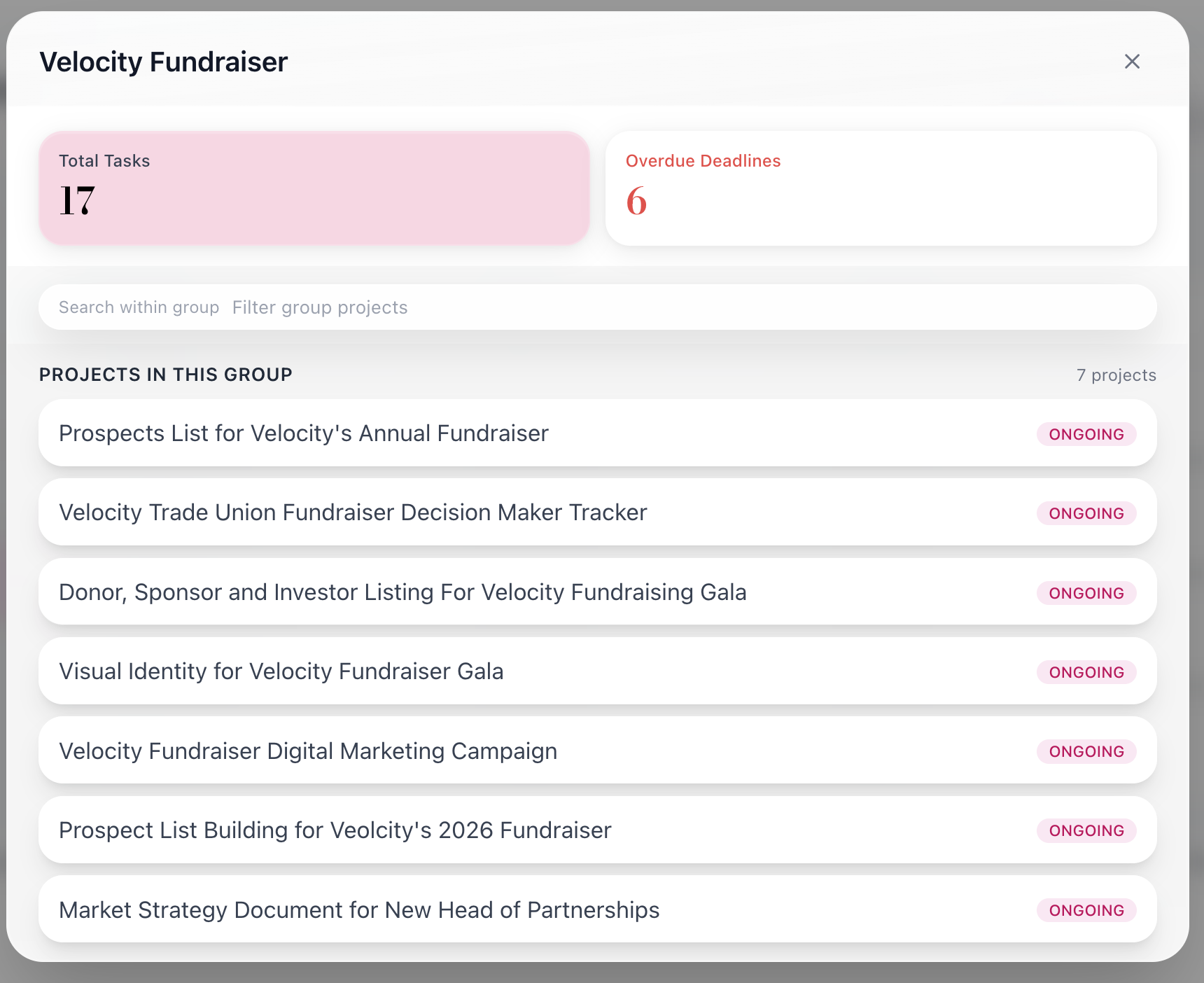
For work that spans multiple deliverables or workstreams, ARTISH lets you group related projects into a single folder. This does two things at once. It allows project managers to break a large brief down into smaller, granular pieces of work, and it holds all of those pieces inside a shared context so nothing gets siloed.
The grouped project modal gives any team member associated with that folder a consolidated view of what is happening across all projects in the group: total tasks, overdue deadlines, and the live status of every project at a glance. This matters for team leads managing work across multiple collaborators, or for stakeholders who need visibility without being directly assigned to individual tasks.
While only the people assigned to specific projects can make updates, project files are visible to everyone associated with the group. Discussions can be opened to escalate issues, ask questions, or review work products in context. The conversation stays where the work is, which means no reconstructing decisions from a Slack thread three weeks later, and no important feedback buried in an email chain that only two people can see.